AI-Powered Wedding Visualization
See your wedding take shape in the venue you love
That look you've been saving for months? Put it in your venue. Upload a photo, describe what you love, and see the first version in about 60 seconds.
No credit card required. First image free.
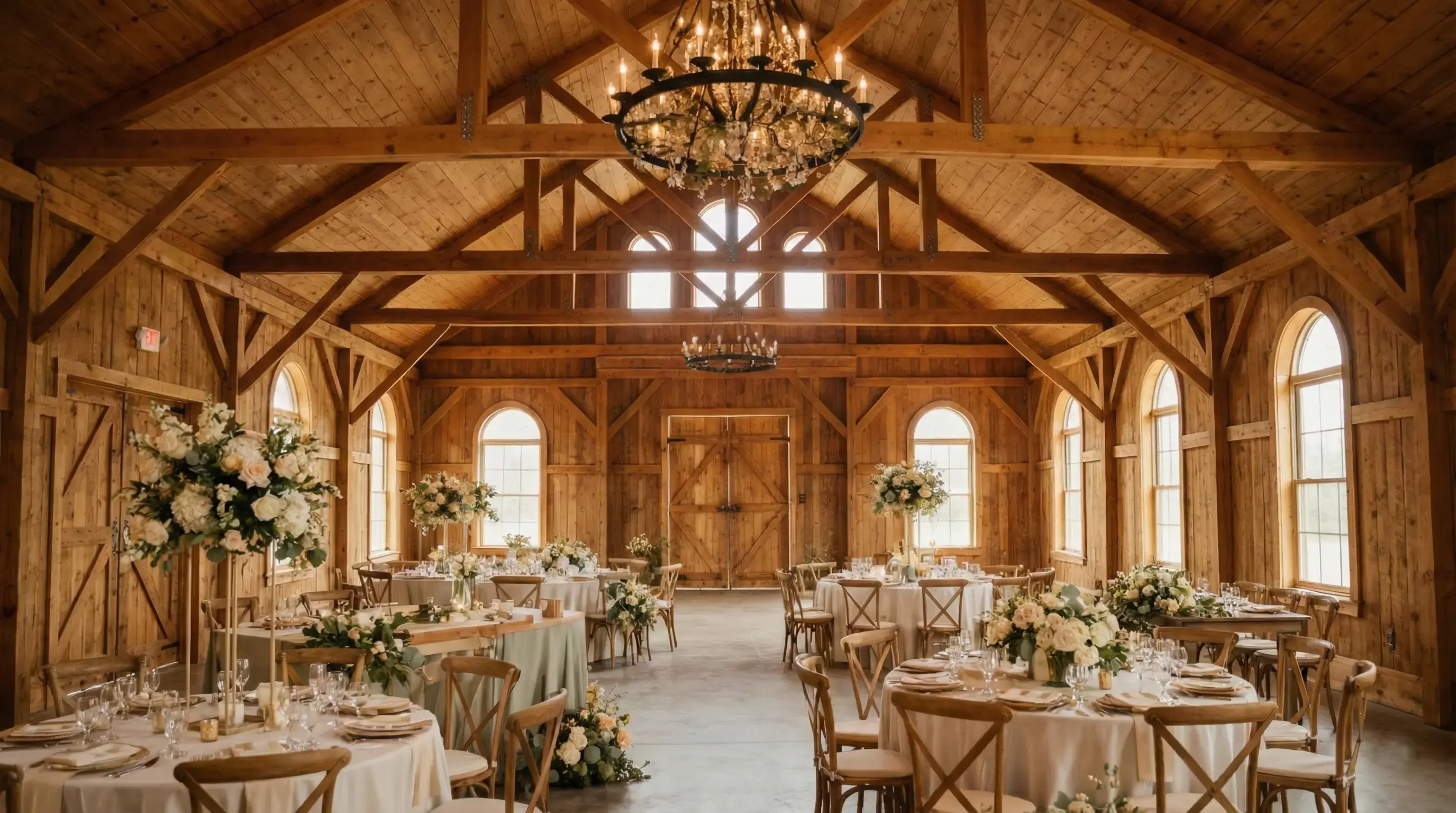
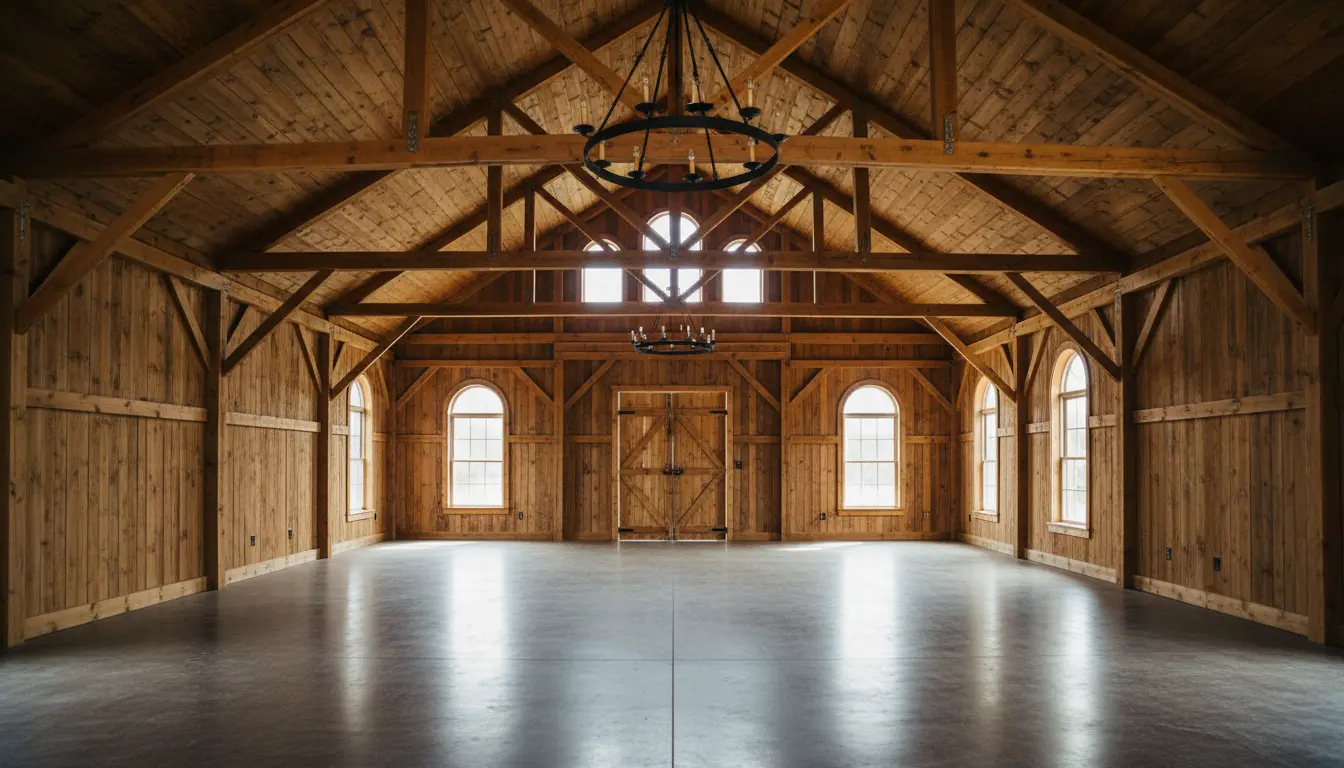
About the Technology
What is Wedding AI?
Wedding AI lets you try an idea where it matters, in your own venue. It takes a photo of the space and adds the flowers, lighting, tables, and decor you describe.
Pinterest is wonderful until every photo you love is in a villa and you've booked a barn. Here, you start with your actual venue. Try the wildflowers. Try the orchids. See which idea belongs in the room.
You can stop debating adjectives and react to something together. Keep the version that feels like you, then take it to your planner or florist and work out what is possible.
60-Second Results
See the first look in about a minute. Change the flowers or colors and try again.
Your Actual Venue
See your specific venue transformed, not generic examples from other weddings.
Save Money
Find the direction you love before the florist and rental deposits start adding up.
Process
How Wedding AI Works
Upload a photo, describe the setup, and compare the result.
Upload Any Venue
Use photos from venue websites, Google, or your own tour photos.
Describe Your Vision
Tell the AI your style: "romantic sage green" or "rustic with sunflowers."
AI Transforms It
Wedding AI generates photorealistic results in under 60 seconds.
Download & Share
Save HD images to share with your partner, planner, or vendors.
Audience
Who Uses Wedding AI?
From engaged couples to industry professionals
Engaged Couples
Try the ideas you've both been saving in the same venue. It is much easier to choose when the options are finally in the same room.
- Try different themes on your venue
- Share visuals with vendors
- Avoid costly mistakes
Wedding Planners
Turn "romantic, but not too romantic" into something a client can see. Add the strongest concepts to proposals and design calls.
- Create visual proposals in minutes
- Manage multiple client projects
- Reduce revision cycles
Event Venues
Show potential clients what's possible in your space. Create marketing materials for different seasons and styles.
- Show setup options
- Create seasonal marketing
- Increase booking conversions
Learn the Workflow
Wedding venue visualization
If you are trying to figure out how to visualize your venue before booking florals, rentals, or decor, start here. It breaks down the process step by step.
Read the venue visualization guideComparing other tools? vs VenuePreview or vs VowVision.
Why this page exists
Search intent matters
Some couples search for "wedding AI." Others search for a solution to the underlying problem: how to see wedding decor in their actual venue. This site now serves both.
- Exact-match page for the product category
- Problem-led page for broader top-of-funnel traffic
- Stronger internal linking between commercial and informational pages
Explore
Explore Wedding AI Styles
Find a look you love, then try it in your venue
Popular Wedding Themes
Farm tables, loose wildflowers, weathered wood, and warm light
Muted green, ivory linens, eucalyptus, and natural wood
Burgundy flowers, red glass, velvet, and pools of candlelight
Terracotta, woven details, dried grasses, and low lounge seating
FAQ
Wedding AI FAQ
Common questions about using wedding AI for venue visualization
What is wedding AI?
How accurate is wedding AI?
Can wedding AI work with any venue photo?
How long does wedding AI take to generate images?
Is wedding AI free to use?
How is wedding AI different from Pinterest or mood boards?
Ready to Try Wedding AI?
You already have the venue photo. Give us 60 seconds and see what it could become. Your first image is free.
No credit card required. First transformation free.
Wedding design guides
Get better results from wedding AI
Use a real venue photo, describe one design decision at a time, and compare meaningful variations with these practical wedding AI guides.
Design your wedding with AI
Choose a useful venue photo, compare distinct directions, and turn the strongest concept into a vendor brief.
Read the guide → Copy-ready promptsWrite clearer wedding AI prompts
Start with proven prompt formulas for ceremonies, receptions, color palettes, flowers, lighting, and decor.
Read the guide → Decor planningVisualize wedding decor in your venue
Test flowers, linens, lighting, tables, and focal installations in the room you will actually use.
Read the guide →