AI wedding design guide
How to design your wedding with AI and your real venue photo
AI wedding design is most useful when it answers a specific question: will this color, ceremony setup, or reception style work in our venue? Start with the room you booked, test a few clear directions, and turn the strongest result into a brief your vendors can use.
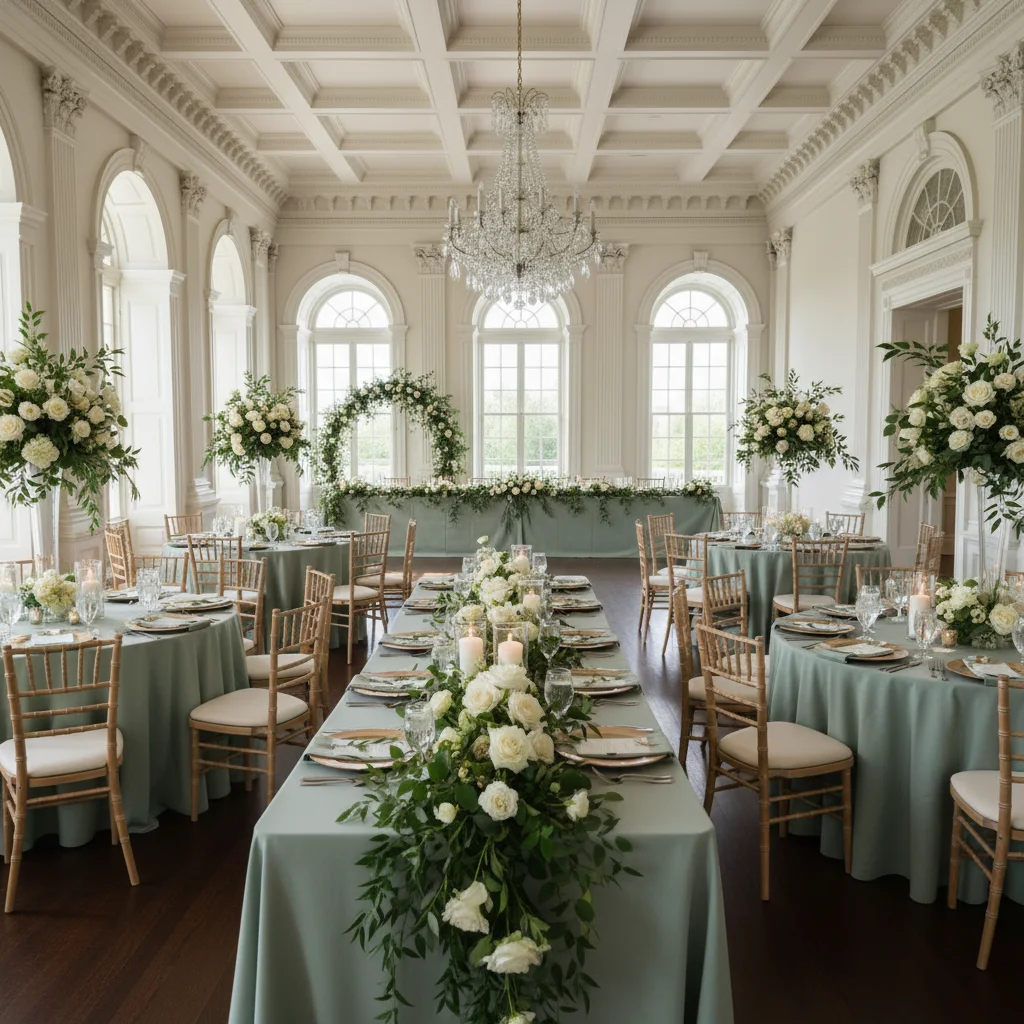
What to do first
- Upload a wide, well-lit photo of the actual ceremony or reception space.
- Test one design decision at a time before combining colors, flowers, lighting, and furniture.
- Generate three meaningfully different directions instead of twenty tiny variations.
- Treat the image as a visual brief, then confirm feasibility and pricing with your venue and vendors.
What AI wedding design can help you decide
Mood boards are useful, but they usually show someone else's venue. A flower installation that feels balanced in a ballroom may overwhelm a small greenhouse. Warm candlelight may flatter a barn and disappear in a bright outdoor ceremony. AI visualization moves the idea into the room where your wedding will actually happen.
Use it for visual decisions: color balance, floral density, aisle styling, table mood, lighting warmth, linen color, and the overall relationship between decor and architecture. It is less reliable for measurements, exact product matching, structural safety, guest capacity, or a final quote. Those decisions still belong with the venue, planner, florist, rental team, and other professionals.
Step 1: choose the right venue photo
Start with one question and one space. If you are choosing a ceremony look, upload the ceremony area rather than a collage of the whole property. For a reception concept, use a wide view that shows the floor, walls, ceiling, windows, and major architectural features.
The best source photo is sharp, reasonably bright, and taken from an angle guests will recognize. An empty or lightly furnished room gives the AI room to add decor. Avoid screenshots with menus, watermarks, heavy filters, or people covering most of the space.
- Use your own tour photo when possible, or a clear image you are permitted to use.
- Keep the horizon level and include the full area you want to style.
- Choose daytime and evening photos separately when lighting is an important decision.
- Create separate visualizations for the ceremony, cocktail hour, and reception.
Step 2: make a simple design brief
Before writing a prompt, reduce the idea to a few ingredients: the feeling, palette, flowers or materials, one focal feature, and lighting. A clear brief gives you a result you can evaluate. A list of every saved Pinterest idea usually creates a confused image.
For example: intimate autumn dinner, rust and cream palette, loose seasonal flowers, long tables with taper candles, and warm overhead string lights. The brief is specific enough to visualize but still leaves room for the venue itself to remain recognizable.
- Mood: romantic, relaxed, editorial, playful, minimal, garden-inspired, or candlelit.
- Palette: name two main colors and one neutral instead of listing every shade.
- Materials: linen, wood, glass, brass, ceramic, greenery, dried flowers, or paper.
- Focal point: ceremony arch, sweetheart table, ceiling installation, bar, or dance floor.
- Light: soft daylight, golden hour, warm candles, string lights, or dramatic evening uplighting.
Step 3: compare three distinct wedding directions
Give each concept a job. One can be the safe direction you already expect to like. One can reduce decor and let the venue lead. The third can push a bolder color or focal feature. Comparing distinct options is more informative than changing one flower variety repeatedly.
Keep the camera angle and room consistent while you compare. Ask which concept makes the venue feel most like you, which elements matter in every version, and which expensive details barely change the overall effect. This is where visualization can prevent spending on decor that does not materially improve the room.
Step 4: refine the winning concept
Once one direction feels right, change only one variable per round. Try the same room with lower centerpieces, fewer flowers, warmer light, neutral linens, or a clearer aisle. You will learn which part of the design creates the feeling you want.
Save the strongest images with useful names such as greenhouse-ceremony-sage-low-flowers or barn-reception-rust-candlelight. Add a short note explaining what you like and what is still undecided. That context matters more to a vendor than a folder of unlabeled images.
Step 5: turn the visualization into a vendor brief
Bring the concept to your planner, florist, venue coordinator, lighting provider, and rental team as a conversation starter. Point to the specific features that matter: the density of flowers, the height of arrangements, the warmth of the light, or the amount of open space. Ask what is possible in the room, what requires installation time or rigging, and where a similar effect can be achieved more simply.
Do not ask a vendor to reproduce pixels exactly. AI images can invent flower varieties, hide structural supports, ignore fire rules, or show more candles and fixtures than a package includes. The useful outcome is a shared visual direction and a better list of questions, not a construction drawing.
Common AI wedding design mistakes
The most common mistake is asking for everything at once: multiple themes, six colors, several flower styles, dramatic lighting, and a completely new layout. Another is evaluating a generated image without checking whether the original architecture still matches the real venue.
- Using a generic ballroom image instead of the venue you actually booked.
- Combining incompatible themes because every saved idea feels individually appealing.
- Treating generated quantities, measurements, or prices as accurate.
- Showing vendors an image without explaining which details matter most.
- Posting the concept publicly as if it were a photograph of a real completed wedding.
Frequently asked questions
What is AI wedding design?
AI wedding design uses artificial intelligence to create visual concepts for a wedding space. With Wedding Studio AI, you upload a photo of your venue and describe a style, palette, flowers, lighting, or decor to see a realistic direction in that same space.
Can AI plan my entire wedding?
AI can help you explore and communicate visual ideas, but it cannot confirm measurements, availability, safety, contracts, or exact costs. Use the result as a visual brief and verify the real plan with your venue and vendors.
Can I use a venue website photo?
Only use images you are permitted to upload. Your own tour photos are usually the clearest starting point because they show the angle and condition you remember from the venue.